Karwa Chauth Lightroom Presets 2026 | Chandni Glow Edits
Karwa Chauth falls on October 29 this year, and Karwa Chauth Lightroom Presets 2026 turn its tricky festival light into photos worth framing. The day starts soft and pale with the sargi thali, and it ends in deep blue with the moon high above the terrace. Between those two moments sit red lehengas, gold jewellery, henna-covered hands, and faces full of emotion. Most phone photos from this day miss all of it, because mixed festival light confuses every camera.
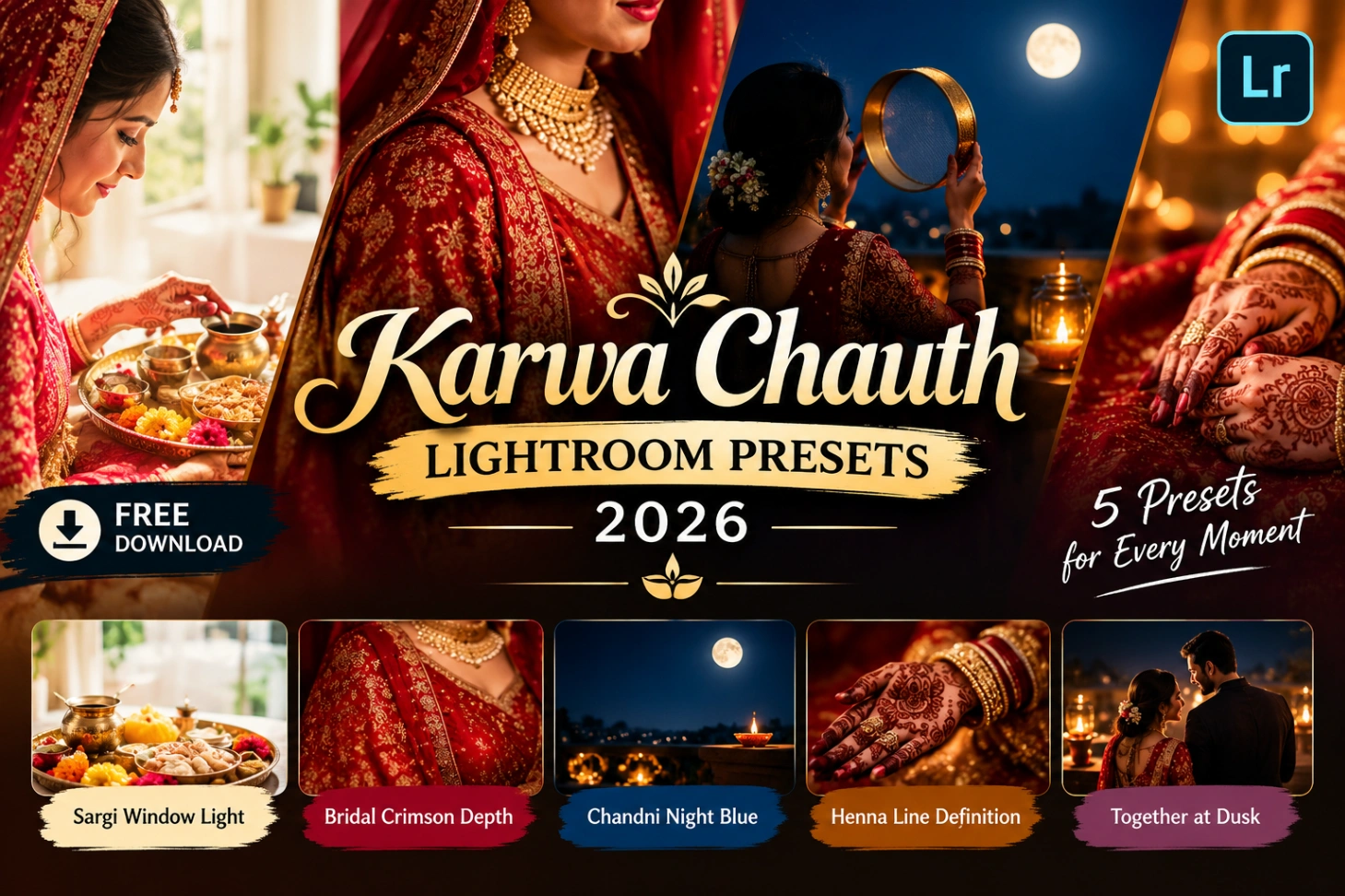
This pack holds five free grades, one for each part of the day, from sargi morning photo edits to moonlight photo presets for the moonrise hour. In this guide you will get the free download, a plain install process for desktop Lightroom, practical shooting tips for low festival light, and short answers to the questions readers ask before the fast begins. You do not need editing experience, and you do not need to touch twenty sliders by hand.
What Are Karwa Chauth Lightroom Presets 2026?
A Lightroom preset is a saved set of edit settings, exposure, colour, warmth, and contrast, that you apply to a photo in one tap instead of moving sliders by hand. Karwa chauth photo editing needs more than a generic warm filter, because this festival mixes pale dawn light, deep red fabric, gold jewellery, and dark blue night in a single album. These presets are tuned for that exact mix, so reds stay rich, gold keeps its shine, and skin looks luminous instead of orange. A generic warm filter pushes everything orange and blows out the highlights, while these grades protect skin tones and let the light sources glow.
New festive packs keep landing through the year, and the Karwa Chauth preset collection is where this pack sits alongside the other seasonal grades. If you shoot more than one festival a year, keeping a small library of occasion presets saves hours on every album. Each pack is built for one kind of light, so you never force a Diwali grade onto a Karwa Chauth night shot. Start with the preset that matches your scene, then adjust exposure only if the photo needs it.
Inside the Pack: 5 Presets for Karwa Chauth Day
The pack covers the full day in five grades:
- Sargi Window Light. Lifts pale dawn light without washing out whites, so the sargi thali and bangles look fresh instead of grey. It keeps skin soft and clean for early morning preparation shots. Best for: sargi thali and getting-ready photos.
- Bridal Crimson Depth. Holds deep reds rich and detailed, so lehengas keep their texture instead of turning flat pink. It adds a gentle luminous grade to skin that reads as bridal glow, not a filter. Best for: bridal portraits in red and maroon.
- Chandni Night Blue. Deepens the night sky into rich blue while warming the moon, diyas, and jewellery gold. It is built for the moon-sighting hour, when the light is at its lowest and most dramatic. Best for: moon-sighting and terrace night portraits.
- Henna Line Definition. Raises midtone contrast gently, so henna patterns and bangle details stand out crisp against skin. It avoids pushing saturation, which is what turns henna brown instead of deep maroon. Best for: bridal mehndi photo editing and jewellery close-ups.
- Together at Dusk. Balances warm skin tones for two people standing in mixed light, where one face catches diya light and the other sits in shadow. It keeps both faces natural instead of letting one go orange and the other go dark. Best for: couple portraits at the evening gathering.
Download the Free Pack
Download the Karwa Chauth Lightroom Presets 2026 Pack (.XMP)
The pack holds all five presets as .XMP files inside a single zip. Download it to your computer, unzip the folder, and the presets are ready to import into Lightroom. The download is free, and the presets work on any photo with warm festival light, old or new.
How to Install the Presets
These are XMP presets, so they install in the desktop version of Lightroom (Classic or the cloud-based Lightroom app):
- Download the zip to your computer and unzip it. Inside you will find five .XMP files, one for each grade.
- Open Lightroom and choose File, then Import Develop Profiles and Presets.
- Pick all five .XMP files in the import window and confirm the import.
- Look under the Presets panel in the Develop module, inside the User Presets group, where the five grades now sit.
- Click a preset on any photo to preview the look right away and compare grades side by side.
- Nudge the Exposure slider if your shot runs brighter or darker than average. Every camera meters festival light a little differently.
Tips for Better Karwa Chauth Photos
Small shooting choices decide the result more than any preset. Read this table before you shoot:
| Tip | Why it works |
|---|---|
| Keep the diya between the camera and the subject at moonrise | Backlight from the flame outlines the face and makes the sieve shot glow |
| Photograph henna in shade, not direct sun | Harsh sun washes out henna lines, while shade keeps the maroon deep |
| Underexpose red lehengas by a small step | Deep reds keep their detail in darker exposures, and the preset lifts the rest |
| Hold the phone steady on a railing for night shots | Moonrise photos blur at the smallest shake, and no preset can rescue motion blur |
| Apply the preset first, then crop the frame | Colour first and composition second keeps tones even across the whole album |
If most of your album is moonrise shots with a single diya as the light source, start with Chandni Night Blue. It is built for exactly that dark, warm scene.
Mistakes to Fix Before You Post
| Problem | Quick fix |
|---|---|
| Lehenga reds look washed out | Drop Highlights a little instead of pushing Saturation, which only adds noise |
| Jewellery loses its golden shine | Lift Whites gently and warm the midtones, not the whole photo |
| Faces look rough in close-ups | Soften Clarity and let the preset’s glow carry the portrait |
| Moon becomes a white blob | Meter on the moon itself before shooting, then apply the night grade |
| Every photo gets the same grade | Match the preset to the moment: sargi grades for dawn, night grades for moonrise |
Karwa Chauth Presets vs Regular Presets
Regular wedding presets are built for bright daylight venues, where they lift everything and cool the shadows down. Karwa Chauth light is the opposite: dim, warm, and mixed, with diyas, fairy lights, and moonlight in the same frame. A wedding grade used here makes night shots look grey and tired, because it was never tuned for low warm light. These presets start from that low warm light, which is why bridal glow survives the edit instead of washing out.
If you also shoot weddings through the same season, the Indian wedding preset pack covers baraat daylight with the same one-tap method. Wedding mornings are bright and open, while Karwa Chauth nights are dark and golden, so each pack stays in its own lane. Use the wedding pack for mandap daylight and this pack for fast-day evenings. Keeping both in your library means every seasonal album starts from a grade built for its light.
Final Words
Karwa Chauth gives you one day of light that never repeats, from the quiet sargi morning to the moonlit terrace at night. Download the pack, match each preset to its moment, and let the reds, golds, and blues do what they do best. Your 2026 album will look like it was planned around the light, not rescued from it.
When the festive season rolls into January, the New Year AI photo prompts give the same one-photo treatment a fresh start for the new year. Keep a preset pack for every celebration in your library, so no festival album ever starts from a blank edit again. One pack per season, ready before the day begins, is the simplest editing habit you can build.